
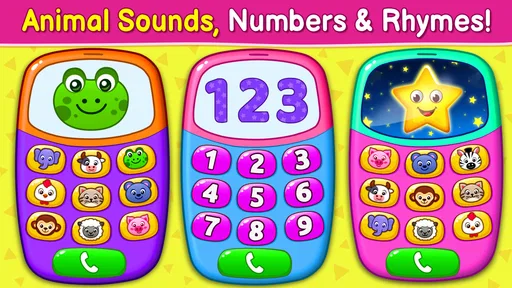
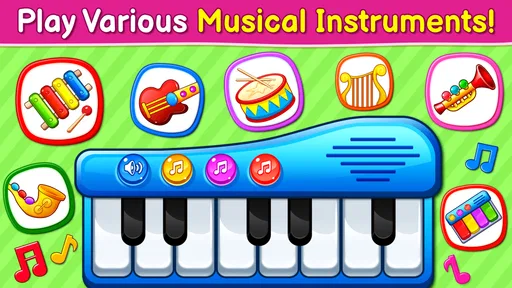
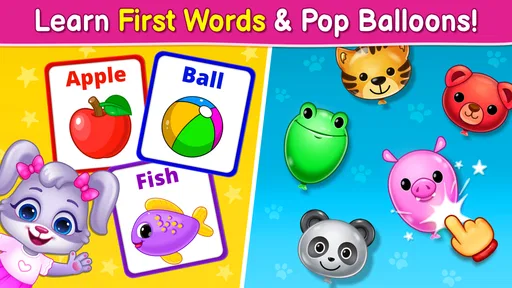
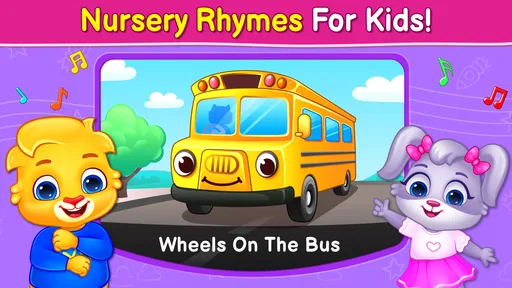

Baby Games: Piano & Baby Phone review
 Analysis by GetAllApps
When I need a brief, low-pressure activity for a young child while dinner is nearly ready or a family member is finishing a call, I’m more likely to reach for something simple than a complicated game. Baby Games: Piano & Baby Phone is aimed at that sort of moment: it turns a phone into a place for playful sounds and musical exploration rather than asking a child to follow a long story or master difficult controls. I see its appeal in how quickly a child can start tapping and listening, with an adult close by to keep the experience calm and purposeful.
How it fits into a shared family moment
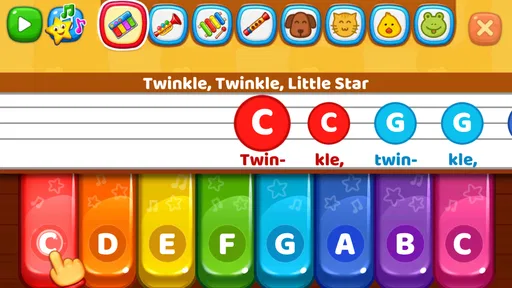
This is an educational game from RV AppStudios, built around musical play for little children. In practice, its central idea is easy to understand: a child can explore a baby piano, musical instruments, and nursery-rhyme-style content. That makes it a natural fit for a shared device when an adult can hand over the phone for a short, supervised turn rather than treating it as a private toy that stays with the child all day.
The most useful household scenario is not “keep a child occupied indefinitely.” It is a short transition: a few minutes while waiting at a café, sitting through a quiet stretch at home, or letting a younger sibling have a turn after an older one has finished. The musical focus gives an adult something to join in with. You can ask the child to listen for a sound, tap along, or take turns choosing what to explore, turning passive screen time into a small shared activity.
I would keep sessions brief and give the device back deliberately. A simple routine—adult unlocks the phone, opens the game, stays nearby, then closes it when the turn is over—works better than handing over an unlocked household device and walking away. That is useful not because the game needs elaborate rules, but because a phone may contain calls, messages, photos, and settings that are not part of a child’s play session.
On a shared phone or tablet, the practical boundary is the device itself. I would open the game before passing it over and avoid leaving a child alone with the rest of the device available. This is especially sensible for very young players, who may tap unpredictably or switch away from the activity. The app is best treated as one supervised option on a family device, not as a substitute for a child-specific setup or adult attention.
Making turns easier to manage
When several children share the same device, the game can serve as a common activity, but the adult still sets the rhythm. I find it helpful to decide whose turn comes first and how the handoff will happen before opening the app. For example, one child can explore the piano while another listens, then they swap. That simple approach avoids turning the phone into a competition over who gets to keep it.
A further advantage of this kind of musical play is that it can work without making every turn feel like a lesson. A child who wants to tap freely can do so, while an adult can add a little structure by inviting them to imitate a rhythm or listen for a change in sound. I would not expect the app alone to teach music theory or replace hands-on instruments; its stronger role is as an easy prompt for curiosity and interaction.
If you are choosing between this and a video, the difference is that the child can make sounds through their own taps instead of only watching a sequence. That does not automatically make every minute educational, but it gives an adult more opportunities to talk, take turns, and respond to what the child does. Compared with a physical toy piano, the phone is convenient and portable, though it cannot offer the same tactile feel or freedom to make noise without worrying about the device.
What parents should set up before handing it over
I would first check the device’s general child-safety setup rather than assume the game itself manages household boundaries. Keep the phone in a position where the child can reach the play area comfortably without needing to hold it close to their face, and stay close enough to help if they leave the game. If the device is also used for work or personal messages, opening the activity only when the adult is ready to supervise is a practical safeguard.
Another useful habit is to keep the session tied to a specific moment: “Let’s play while we wait,” rather than leaving the game open as the default whenever the child is bored. This helps adults decide when to offer it and gives children a clear ending. A musical activity is easy to extend because tapping can continue without an obvious finish line, so a gentle warning before putting the device away can make transitions smoother.
For a child who is still learning to use touchscreens, sit together at first and show how to tap gently. That protects the shared device and helps the child understand that the sounds follow their actions. If a child becomes frustrated because they expect a particular response or cannot navigate as intended, I would take over briefly or switch to a physical instrument rather than turning the moment into a test of patience.
One trade-off of putting music on a phone is that the device’s volume and surroundings matter. I would keep the sound at a comfortable level, especially in a quiet room or shared space, and avoid using the activity where the child’s tapping would disturb others. A small keyboard or toy instrument may be a better choice at home when you want unrestricted exploration; this app is more convenient when portability and a quick start matter most.
Age fit, trust, and realistic expectations
The game is rated for Everyone, which makes it broadly approachable as a family download, but that rating does not tell an adult how long a particular child should play or whether the experience suits their temperament. I would use age context in a practical way: a toddler will likely need an adult to guide the device and the turn, while an older preschooler may be able to explore more independently within whatever boundaries the household has set.
It is also worth separating “child-friendly” from “no supervision needed.” A general audience rating is reassuring when deciding whether the content is intended for a broad age range, but it is not a replacement for checking how your own child handles a shared phone. If your household avoids screens for a particular routine, or if a child tends to become upset when a device is taken away, this may not be the right activity for that moment.
The app is free, and its popularity is substantial: it has passed 50 million installs, with an average rating of 4.4 from around 62,000 ratings. Those figures suggest that many families have found the concept appealing, but they do not guarantee that every child will enjoy the same sounds or play style. I would treat them as context, then judge the fit by watching whether the child stays curious, interacts calmly, and can move on when the session ends.
RV AppStudios released the game on April 1, 2019, and it remains positioned as a straightforward children’s music-play experience. I would not choose it when I need a structured curriculum, detailed progress tracking, or a lesson plan that adapts to a child’s abilities. Families looking for those things are better served by a purpose-built learning tool, while families seeking a simple musical diversion may appreciate that this game does not ask for a long setup or a complicated commitment.
Where it stands among children’s music options
Compared with nursery-rhyme videos, this game gives the child more room to produce sounds rather than simply watch and listen. Compared with a full children’s learning app, it has a narrower purpose: musical play is the draw, not a broad sequence of subjects. And compared with real instruments, it is easier to carry and hand over, but it cannot reproduce the physical feedback of keys, strings, or percussion.
That distinction matters when choosing what to download. If your child enjoys making noise and responding to sounds, the app can be a handy starting point for a shared musical moment. If they are already eager to play an instrument, a small real keyboard or other age-appropriate instrument may be more satisfying. If you want a screen experience that occupies a child without adult involvement, I would be cautious: this works best when a caregiver is willing to stay present and make the play interactive.
There is also a household coordination benefit in using one familiar activity for different children, but I would not expect it to solve turn-taking by itself. Adults still need to decide when a turn begins and ends, especially if siblings have different ages or patience levels. A short, predictable rotation is more dependable than asking the app to manage the social side of sharing.
My verdict for families sharing a device
Baby Games: Piano & Baby Phone makes the most sense as a convenient, supervised musical diversion for young children. I like that the concept invites tapping and listening, gives adults an easy way to join in, and can fit into small gaps in a family day. Its strengths are practical: it is free to try, broadly age-rated, and focused enough that a parent can understand the kind of play it offers without turning the device into a long-term entertainment plan.
Its limitations are equally important. It is not a replacement for hands-on instruments, a comprehensive music course, or the household rules that keep a shared phone appropriate for children. The open-ended nature of musical tapping may also make stopping less natural than finishing a short video or puzzle, so adults should set expectations before the session begins.
I would recommend trying it if you want a quick way to make a waiting period more interactive and you are comfortable supervising a child with a shared device. I would skip it if you need independent, tightly structured learning or if screen time is not a good fit for the situation. Used in short turns, with an adult nearby and a clear handoff afterward, it can be a pleasant little prompt for listening, experimenting, and making music together.
Pros and cons
Pros
- Colorful visuals make the controls easy for young children to recognize.
- Simple tap-based play suits toddlers who are still developing coordination.
- Piano activities offer a gentle introduction to musical sounds.
- Pretend phone play can encourage imaginative role-play.
- Short activities work well for brief play sessions.
Cons
- Some activities may feel repetitive after repeated sessions.
- Young children may need help navigating between activities.
- Sound effects could be distracting in quiet settings.
- The youngest users may tap buttons without following the activity.
- Parents should supervise screen time and in-app interactions.


